






SECTOR 5.2-5.8GHz 2x2 MIMO
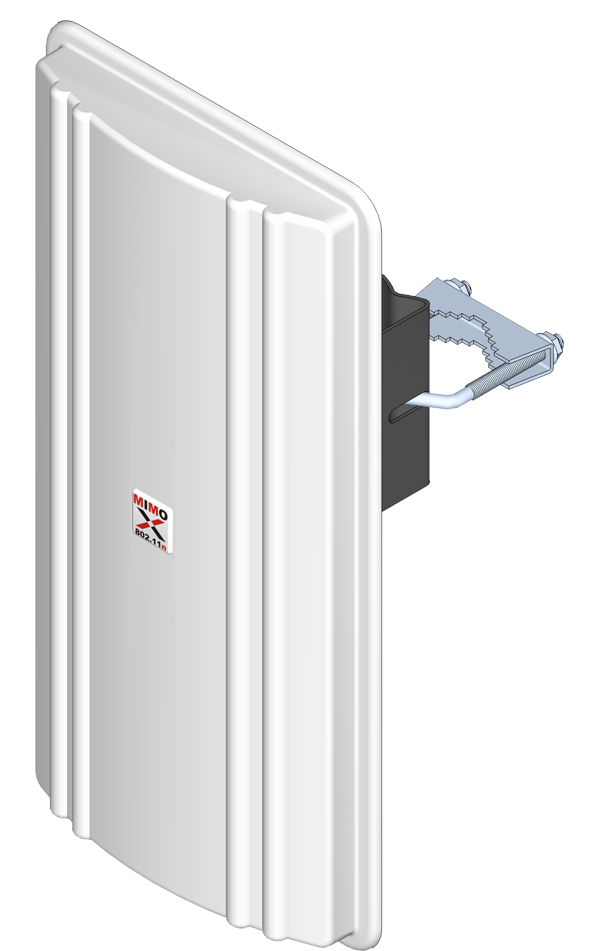
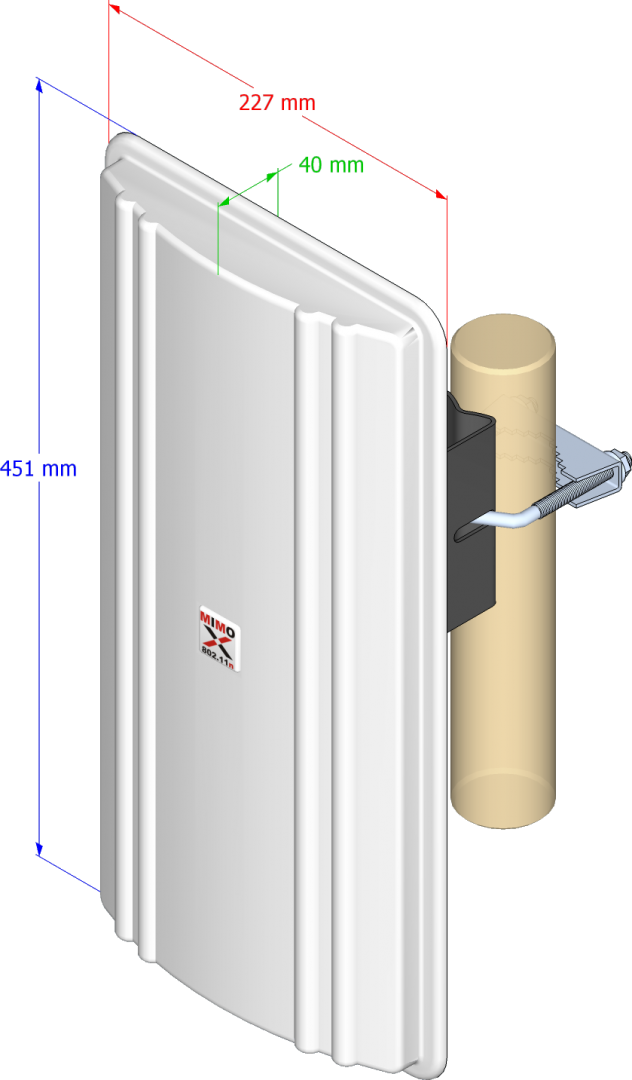
The new sector antenna for base stations in 2x2 MIMO technology developed for use with radio equipment operating in the 802.11a/n/ax standard, which uses MIMO technology. The antenna has two connectors, they are relatively light and compact, which saves space on the mast.
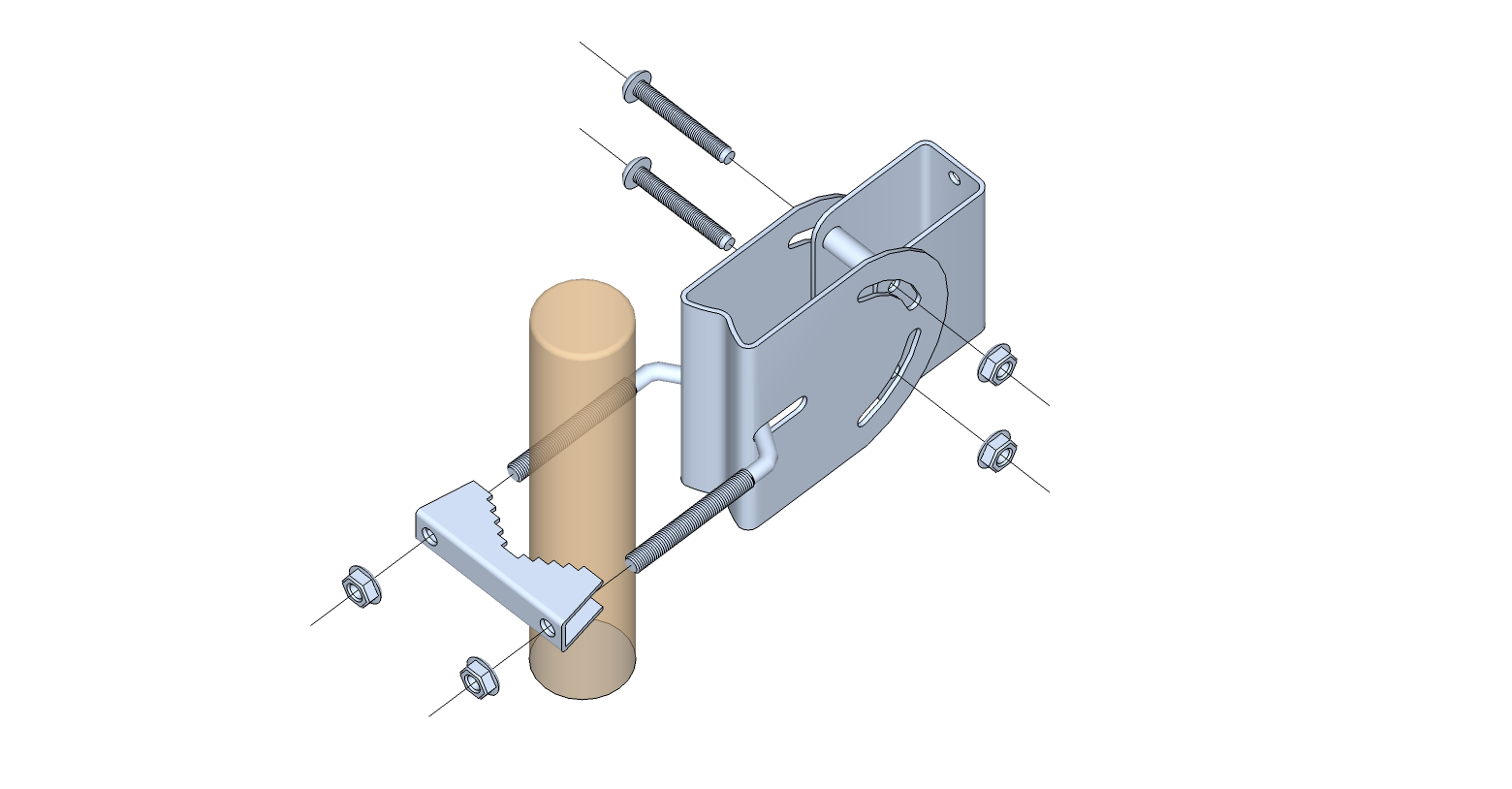
Below in the video, the assembly of the holder of this antenna.

Product code:
IS-G17-F5258-HV-M
Antenna type:
Frequency class:
Frequency (min):
5 200MHz
Frequency (max):
5 800MHz
Gain:
17dBi
17dBi
Gain (max):
17dBi
VSWR (max):
2.00:1
Half Power Beam Width (-3dB) - horizontal:
80°
Half Power Beam Width (-3dB) - vertical:
7°
Front/Back Ratio:
>26dB
Cross Polarization Discrimination:
>20dB
Port to Port Isolation:
>44dB
Polarization:
Impedance:
50Ω
Max Composite Power:
10W
DC Ground:
yes
Connector:
Mounting Diameter:
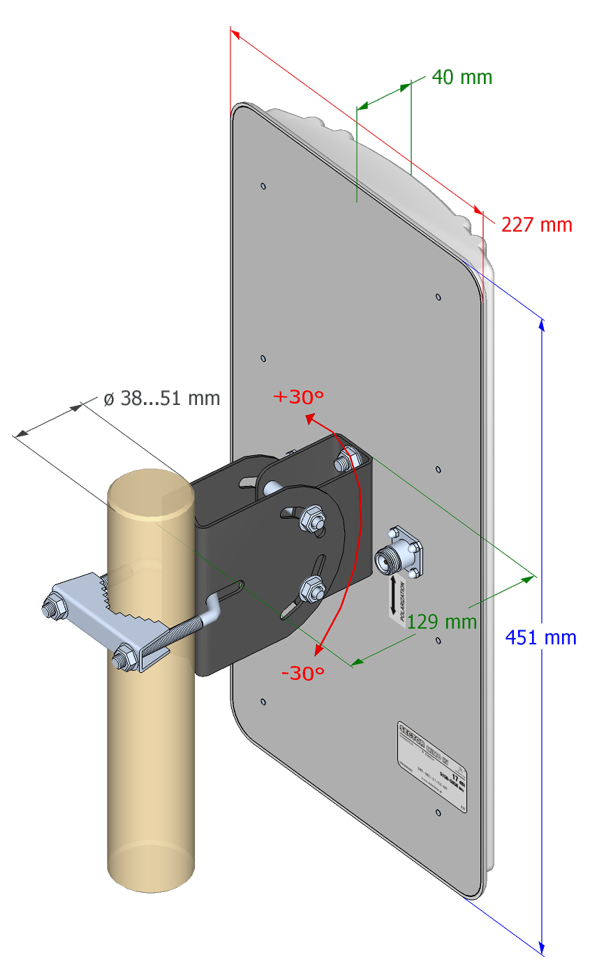
ø 38…51mm
Weight (incl. mount):
1.50kg
Dimensions (excl. mount):
451x227x40mm
Enviroment:
Outdoor
Windload:
130km/h
VSWR data:

GAIN data:
New product:
Key benefits:
SERIES:
PROFESSIONAL
Instalation foto:
Instalation tips:
Dokładna regulacja anteny zapewnia prawidłową propagację sygnałów radiowych. Właściwa instalacja masztu, anteny i kabla zapewnia stabilną i prawidłową pracę instalacji anteny.
- Ustawić maszt lub wysięgnik za pomocą wyrówniarki.
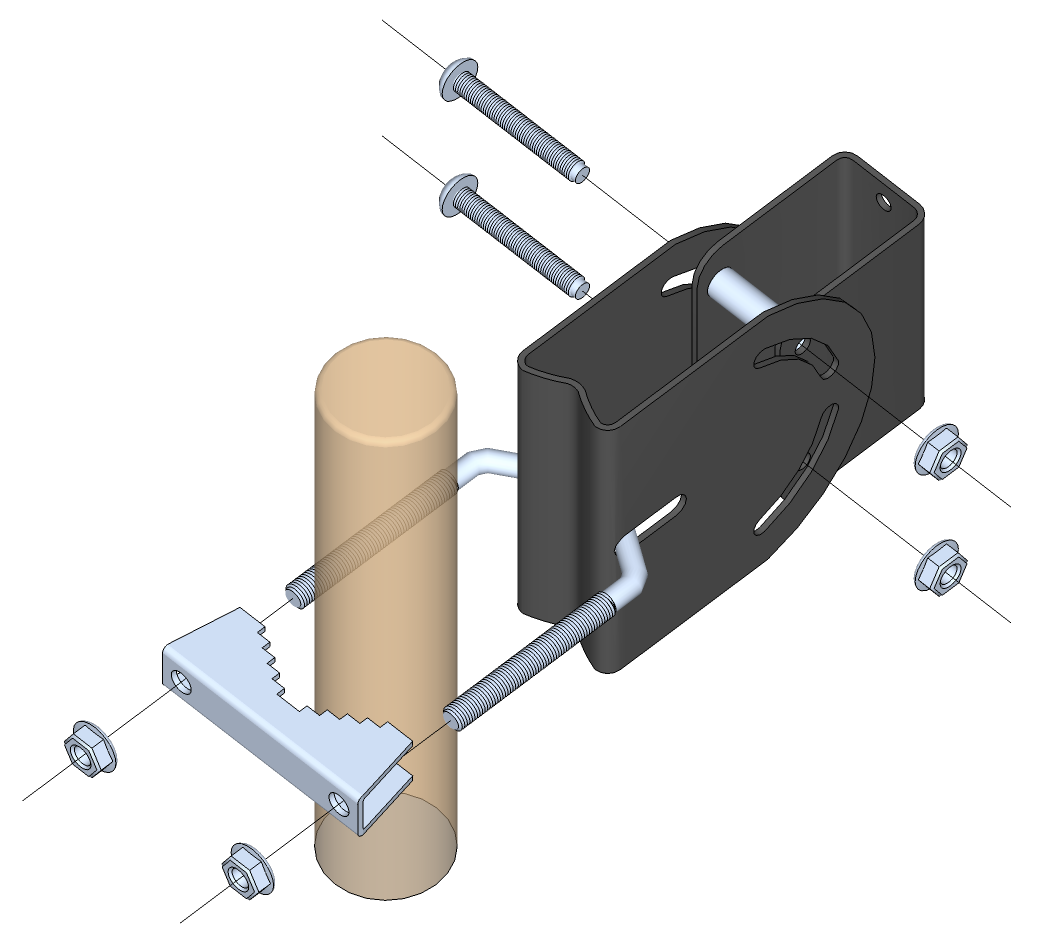
- Zmontuj uchwyt anteny jak na rysunku.
- Otwory wentylacyjne powinny znajdować się w dolnej części anteny.
- Przykręć antenę do masztu, pozostawiając luz w regulacji kierunku i nachylenia.
- Określ kierunek i pochylenie.
- Na koniec dokręć śruby mocujące.
- Podłącz kabel i zaizoluj złącze antenowe.
- Przymocować kabel do masztu lub wysięgnika.
- Warto odnotować osiągnięte parametry łącza.
EAN:
5907758040447
Temperature:
-40°C
80°C
Colour:
white
warranty: